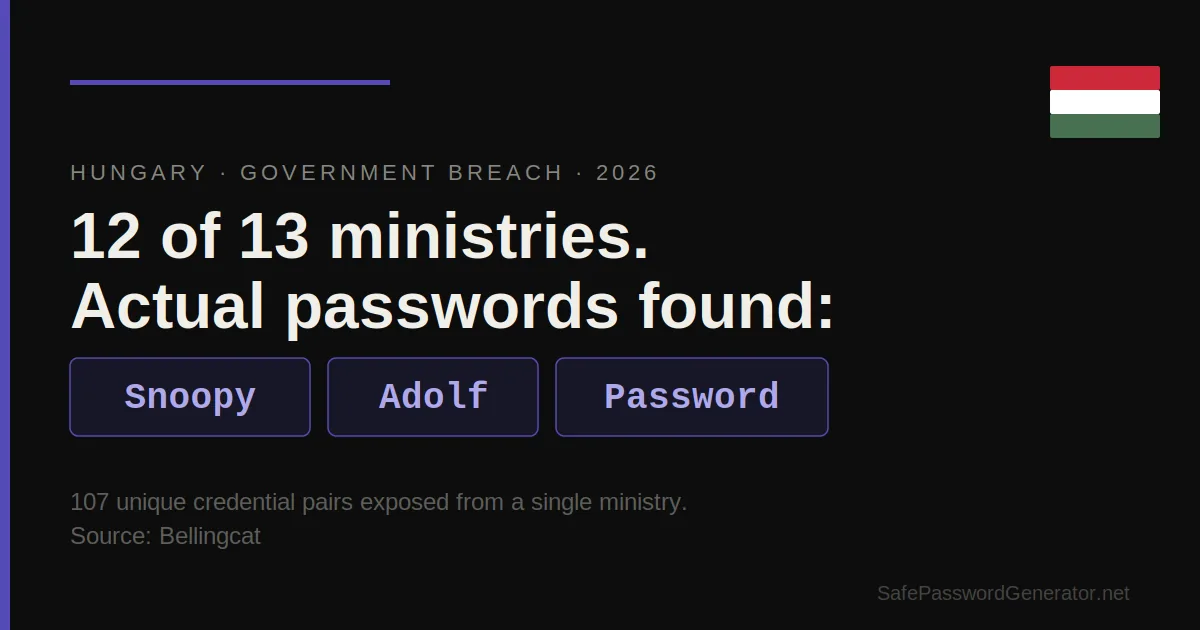
TL;DR: Bellingcat found breached credentials for 12 of 13 Hungarian government ministries in public breach databases. One ministry had 107 unique credential pairs exposed. Passwords recovered include "Snoopy," "Adolf," and "Password." This is a policy failure, not an individual one. The reliable fix is to stop letting humans invent passwords: use a password manager.
Twelve of thirteen Hungarian government ministries had employee credentials sitting in public breach databases. Bellingcat found them. One ministry alone had 107 unique credential pairs exposed.
The passwords recovered: "Snoopy." "Adolf." "Password."
This is not a story about sophisticated attackers. It is a story about what happens when an organization treats password policy as a compliance checkbox rather than an operational security requirement.
What Bellingcat Found
Investigative outlet Bellingcat cross-referenced Hungarian ministry email addresses against known breach databases and found credentials for 12 of 13 ministries. The single ministry with 107 exposed combinations represents one of the densest credential exposures per organization reported in 2026 so far.
The passwords recovered were not edge cases or anomalies pulled from one careless employee. They represent a pattern. When an organization surfaces "Snoopy," "Adolf," and "Password" across dozens of accounts, that is a policy failure, not an individual failure.
Sources: Bellingcat, Daily News Hungary.
Why Governments Are Particularly Vulnerable
Government institutions carry a specific set of conditions that make password hygiene harder to maintain than in the private sector.
Staff turnover in administrative roles tends to be high. Password reset procedures are often manual and slow. IT departments are typically underfunded relative to the number of systems they manage. Compliance frameworks focus on documentation rather than enforcement. And critically, the consequences of a single employee using a weak password are rarely visible until a breach surfaces externally, sometimes years later.
None of that is an excuse. It is context for why the problem persists despite being well understood.
The Hungarian case also illustrates a specific risk that organizations underestimate: credentials do not expire when they leave breach databases. A password set in 2019 and compromised in a breach that year is still sitting in attacker databases in 2026, ready to be tried against any account where it might still be valid.
The Actual Passwords Tell the Story
Password audits of breached credential sets consistently show the same categories of choices:
1. Pop culture and names
"Snoopy," character names, sports teams. Memorable, personal, and completely predictable once an attacker knows anything about the target organization or its culture.
2. Historically loaded terms
"Adolf" falls into this category. Memorable precisely because it is unusual. Attackers running credential stuffing attacks include exactly these kinds of terms in their dictionaries.
3. Generic placeholders
"Password," "123456," "admin." These show up in every breach dataset ever published, across every country and sector.
4. Keyboard patterns
"qwerty," "asdfgh," "zxcvbn." Fast to type, fast to crack.
5. Organization name plus a number
"Ministry1," "Budapest2024." Feels unique to the user. Shows up in thousands of breach datasets because every organization has employees who do this.
These are not passwords chosen by uninformed users. Government employees understand, at some level, that passwords matter. The problem is that knowing something matters does not change behavior when the friction of creating and remembering a strong password is higher than the perceived personal risk of a breach.
Password managers solve this by collapsing the friction entirely. The user does not choose a password. The tool generates one, stores it, and fills it automatically. The decision disappears.
What Organizations Get Wrong About Password Policy
Most enterprise password policies focus on requirements: minimum length, character types, expiration intervals. Few focus on the actual mechanism by which employees create passwords.
Requiring a password to contain a number and a special character does not produce strong random strings. It produces "Snoopy1!" : the same weak base word with minimal modifications to satisfy the rule.
Length requirements help more than complexity rules, based on everything researchers know about how password cracking works. A 16-character passphrase built from random words is orders of magnitude stronger than an 8-character string with symbols. Length extends cracking time exponentially. Complexity rules mostly produce predictable substitutions.
But length requirements still do not fix the root problem, which is that human-generated passwords cluster around predictable patterns regardless of the rules imposed on them. The only reliable countermeasure is removing the generation step from humans entirely.
For a deeper look at what makes a password actually strong, see our why 12 characters is the minimum guide and our secure password generator that builds credentials humans could never guess and never need to remember.
The Credential Lifetime Problem
One detail in the Hungarian case worth noting: Bellingcat found these credentials in existing breach databases, not from a fresh attack. Some of these passwords may have been compromised years ago and simply never changed.
This is the credential lifetime problem. A password compromised in a breach has an indefinite shelf life in attacker infrastructure. Credential stuffing attacks, where stolen username and password combinations are automatically tested against hundreds of services, run continuously against consumer and enterprise accounts alike.
Changing a password after a breach closes one window. Using a unique password for every account means a breach at one service cannot be leveraged against any other. That is the case for a password manager: not as a convenience tool, but as a structural defense against credential stuffing at scale.
Affiliate link. SPG earns a commission at no extra cost to you.
NordPass handles this for individuals and teams, generating and storing unique credentials per account with no manual effort required. If you manage access for a team or organization, the business tier is worth evaluating. (Affiliate link.)What to Do If Your Organization Has This Problem
Most organizations do not know whether their employee credentials are in breach databases. The first step is finding out.
Tools like Have I Been Pwned (haveibeenpwned.com) allow domain-level searches for enterprise accounts. Running your organization's email domain against known breach databases will surface exposed credentials faster than waiting for an attacker to use them.
From there, the remediation path is straightforward even if the execution is not: force password resets on all exposed accounts, enforce a password manager for all new credentials, and implement multi-factor authentication on anything that touches sensitive systems.
The Hungarian case is public and documented. Most organizations with the same problem will not find out from a Bellingcat investigation. They will find out from a breach notification, or they will not find out at all.
Final Thought
"Snoopy" as a government ministry password in 2026 is not a surprising finding. Credential databases from the past decade show the same patterns across every sector, every country, and every size of organization.
Humans pick bad passwords when left to their own devices. That finding has been replicated consistently for thirty years of password research. The organizations that accept this and build systems that remove the human decision from the equation are the ones that do not show up in Bellingcat investigations.
Generate your passwords. Store them. Never choose one manually again.
Tim O.
SafePasswordGenerator.net
FAQ
What are the most common government passwords?
Based on credential breach databases reviewed by researchers including Bellingcat, common government passwords include generic terms like "Password" and "admin," pop culture references, keyboard patterns like "qwerty," and organization name plus year combinations. The Hungarian government breach surfaced "Snoopy," "Adolf," and "Password" among recovered credentials.
Why do government employees use weak passwords?
Government IT departments typically operate with underfunded security teams, manual password reset procedures, and compliance frameworks that measure documentation rather than enforcement. Employees face the same behavioral friction as any other user: strong passwords are harder to remember, so humans default to familiar, memorable choices regardless of policy requirements.
What is credential stuffing?
Credential stuffing is an automated attack where stolen username and password pairs from one breach are tested against other services. Because password reuse is common, attackers can access unrelated accounts using credentials from breaches years old. A unique password per account eliminates this attack vector entirely.
How do I know if my organization's credentials are in a breach database?
Have I Been Pwned (haveibeenpwned.com) offers domain-level searches for enterprise accounts. Running your organization's email domain returns any exposed addresses found in known breach datasets. This is the fastest way to identify exposed credential pairs before attackers use them.
About the Author
Tim O. covers password security, credential exposure, and data breach analysis at SafePasswordGenerator.net. With a background in enterprise cybersecurity and over a decade working across observability, DevSecOps, and SaaS security, T.O. focuses on translating breach research into practical guidance for individuals and security teams. The site's foundational research, a 2025 analysis of 50,000 breached passwords, reached over 355,000 readers and established SafePasswordGenerator.net as an independent voice in the password security space.
Last updated: April 9, 2026